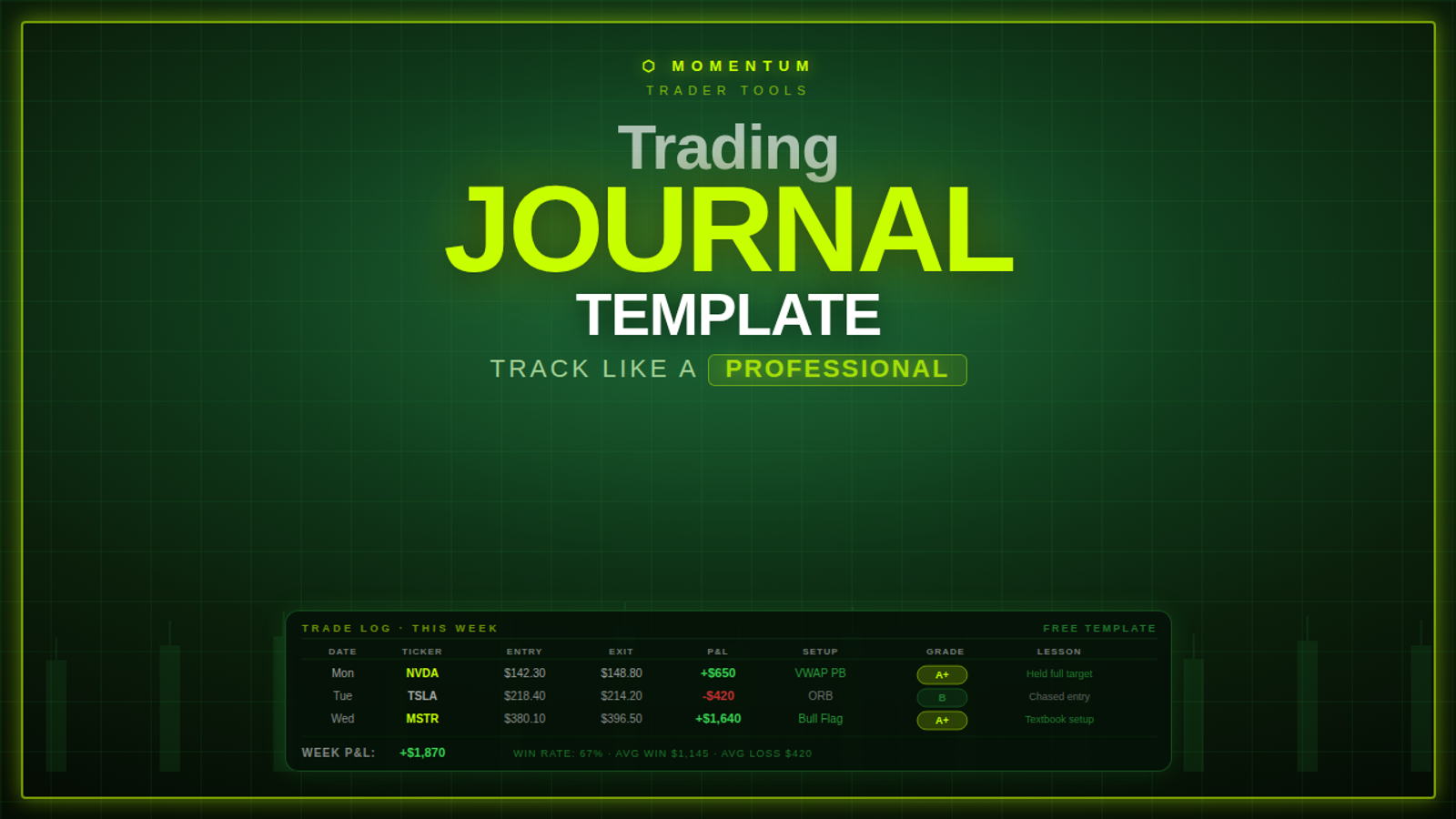
Short answer: To keep a trading journal, write your plan before the open, log every trade the moment you enter it, close the record when you exit, score your process at the end of the day, and review the week once every weekend. Track results in R (risk units), record why you took each trade, and name one mistake per trade. That is the whole system, and the template below holds the fields to start with.
How to keep a trading journal (the short version)
- Before the open: write your planned setups, entry triggers, stops, targets and the conditions that would keep you out today.
- At entry: log the ticker, setup, entry, stop, target, size, a before screenshot and one sentence on why you took it. Write it before you know the outcome.
- At exit: record the exit, the result in R, an after screenshot, and whether you followed your rules.
- After the close: tag the one mistake on each trade (or "no mistake"), give yourself a Process Score from 0 to 10, and pick one thing to improve tomorrow.
- Once a week: compare your numbers, sort results by setup, count your mistakes and choose one fix for next week.
- Keep it fast: aim for 2 to 3 minutes per trade, up to 30 minutes after the close and up to 60 minutes once a week. A journal you stop using is worth nothing.
Why keep a trading journal?
Plenty of traders treat a trading journal as a “nice-to-have.”
Treat it like oxygen.
Because without a journal, you don’t actually know:
- what you’re good at
- what you keep messing up
- whether you’re improving or just getting lucky
CME Group’s trade plan course says it plainly: “All good traders are also good record keepers.” Its daily post-mortem step adds that “adding up your profit or loss is secondary to knowing the why and how of your trading performance.”
What a professional trading journal tracks (and what it ignores)
A pro journal is not a diary.
It’s not “Dear journal, I felt nervous today.”
A pro journal answers three questions:
- Was this trade part of my system?
- Did I execute it correctly?
- What should I repeat or change next time?
If your journal doesn’t answer those, it’s just recordkeeping.
A broker statement already gives you entry, exit and P&L. It can’t give you the reason you took the trade, the setup it belonged to, whether you followed your rules or what state you were in. That context is the part you add, and it makes the data useful.
The Trading Journal Template (copy/paste)
Use this as a table in Notion, Google Sheets or Excel, one row per trade. There is nothing to download. For a spreadsheet, paste this header row into the first cell and split it into columns at the commas:
Trade ID, Date, Ticker, Market, Direction, Setup, Entry Timeframe, Simulated or Live, Entry Time, Planned Entry, Entry Price, Position Size, Stop Price, Target Plan, Risk ($), R Risked, Result (R), Result ($), Fees and Slippage ($), Exit Time, Exit Price, Screenshot Before, Screenshot After, Why I Took It, Notes, A+ Setup, Planned or Unplanned, Checklist Passed, Followed Entry Rules, Followed Stop Rules, Followed Exit Rules, Emotional State, Mistake, Root Cause, One Fix, Market Regime, Volatility, Catalyst, Time of Day
Section A: Trade Log (fill this out for every trade)
Trade ID:
Date:
Ticker / Symbol:
Market: (stocks / options / futures)
Direction: (long / short)
Strategy / Setup Name: (ORB, meaning opening-range breakout; VWAP pullback; breakout retest)
Timeframe Used for Entry: (1m / 5m / 15m)
Simulated or Live:
Entry Time:
Planned Entry Level: (from your pre-market plan)
Entry Price:
Position Size: (shares / contracts)
Stop Price:
Target Plan: (T1 / T2 or “trail”)
Risk per Trade ($):
R Risked: (usually 1R)
Result (R): (e.g., +1.2R, -1R)
Result ($): (optional)
Fees and Slippage ($):
Exit Time: (so you can track hold time)
Exit Price:
Screenshot (Before): (chart)
Screenshot (After): (chart)
Why I Took It (one sentence):
Notes (1 to 2 lines): what happened, including anything that pushed you off plan.
Section B: Execution & Mistakes (this is the “improvement engine”)
A+ Setup? (Yes/No: did it meet every item in your written setup criteria?)
Planned or Unplanned?
Pre-Entry Checklist Passed? (Yes/No)
Followed Entry Rules? (Yes/No)
Followed Stop Rules? (Yes/No)
Followed Exit Rules? (Yes/No)
Emotional State at Entry: (calm, confident, anxious, FOMO, revenge)
Mistake (choose one):
- Chased entry
- Entered early
- Entered late
- Stop too tight
- Stop too wide
- Moved stop
- Cut winner early
- Held loser too long
- Overtraded / revenge traded
- Traded outside plan
- No mistake
Root Cause: (boredom, FOMO, lack of prep, unclear levels, etc.)
One Fix for Next Time: (a rule or checklist item)
Section C: Context tags (one dropdown each)
Market Regime: (trending / choppy / news-driven)
Volatility: (elevated / normal / compressed)
Catalyst: (earnings / news / sympathy / none)
Time of Day: (open / midday / power hour)
Section D: Optional fields (add once the basics are consistent)
Entry Quality (1 to 5): how clean was the entry relative to your rules?
Exit Quality (1 to 5): did you follow your exit plan?
Highest and Lowest Price Seen: while you were in the trade, so you can see how much of the move you captured.
The core fields at a glance
R is the amount you risk per trade. If you risk $50, 1R is $50, so a $100 winner is +2R and a stopped-out trade is -1R. Results in R stay comparable when your size changes.
Fees and slippage add up quietly. If your costs run $5 a trade and you take ten trades a day, that is $50 a day, or $1,000 over 20 sessions. Logging it puts that cost in front of you.
Which format should you use: Sheets, Excel, Notion or paper?
Pick the format you will actually use every day.
What tabs should a trading journal have?
A complete journal is more than one sheet. In a spreadsheet, use tabs. In Notion, use linked databases.
- Trade Log (core tab): one row per trade with the fields above. This is your raw data.
- Daily Page: one per session, holding your pre-market plan, trade cap, Process Score and emotion audit.
- Pre-Trade Checklist: the three questions you answer before every entry (listed under “During the market” below). It is a built-in pause before you click.
- Metrics Dashboard: formulas that pull from the Trade Log and calculate your numbers automatically (formulas below). Your review time then goes on reading the numbers.
- Weekly Review: your numbers side by side, best and worst setups, most common mistake and next week’s one fix.
- Mistakes Library: every rule break, emotional exit or impulsive entry, with what triggered it. After a few weeks, triggers tend to repeat, and you can name them.
- Trades Avoided: the setups you passed on and why.
How to set up the Trade Log in 10 minutes
Step 1: Build the Trade Log. Create a new sheet or Notion database and paste in the Section A, B and C fields as columns. Keep a clean master copy you can reset to.
Step 2: Set your risk default. Enter your account size and the dollar amount you risk per trade (1R). If you don’t have a rule for that yet, start with the beginner’s guide to risk management before you log a single trade.
Step 3: Set up your dropdowns. These fields need fixed lists so you can filter later:
- Setup type (ORB, VWAP pullback, breakout retest)
- Mistake (the list in Section B)
- Emotional state (calm, confident, anxious, FOMO, revenge)
- The four context tags in Section C (regime, volatility, catalyst, time of day)
Step 4: Log your first trade. Enter a recent trade, even a paper trade (mark it Simulated), and check that every column and dropdown works. Add the dashboard formulas from the table below once you have a few trades logged. Then start using it tomorrow.
Strategy and context tags: find your edge window
Context tags show when your setups work best and when they don’t. Tag every trade on four dimensions:
- Market regime: trending, choppy or news-driven. A VWAP pullback that works in a trending tape can bleed you in chop.
- Volatility: elevated, normal or compressed. If your rules adjust size and targets for volatility, this tag shows whether you actually do it.
- Catalyst: earnings, news, sympathy move or none. This lets you filter setup performance by catalyst type.
- Time of day: open, midday or power hour.
After a few weeks these tags answer questions like:
- “I win on trending mornings, lose in chop.”
- “My best trades happen before 10:30.”
- “My catalyst trades work; my no-news trades don’t.”
Execution notes: entries, exits and rule adherence
At entry, one of the fields that does the most work is the one-sentence reason you took the trade. “VWAP held and volume confirmed” is data. “It looked good” tells you nothing.
Write it before you know how the trade ends. If you write your reasoning afterward, the outcome rewrites it for you.
Then split your trades into two groups and track them separately:
- Planned trades show what your system can actually do.
- Unplanned trades show where emotional decisions live.
Compare win rate and expectancy across the two groups. Your followed-rules columns (entry, stop and exit) and the checklist column feed your error rate: the share of trades where you broke a rule.
The daily layer: Process Score (0 to 10)
At the end of each session, give yourself one number:
Process Score: 0 to 10
- 10 = perfect execution, even if P&L was red
- 5 = mixed execution, some rule breaks
- 0 to 3 = emotional trading / no structure
One way to keep the number honest: score five things from 0 to 2 and add them up.
- Plan adherence
- Risk discipline
- Emotional control
- Trade quality
- Journaling (did you log everything?)
If your score is high, you’re building a repeatable process.
If your score is low, your P&L is noise. Luck can hide a bad process for a while.
Look for a score that holds up on red days as well as green ones and climbs over time. That is what consistency looks like.
The emotion audit: four one-sentence prompts
After your post-market break, answer these four prompts in one honest sentence each:
- When did I feel most confident today? This shows the conditions where your decisions are sharpest.
- When did emotion influence a decision? The moment fear, greed or frustration took the wheel.
- What was my biggest mental win today? The trade you skipped, the stop you honored, the FOMO you resisted.
- What will I do differently tomorrow? One specific adjustment. “Be more disciplined” doesn’t count.
A month of these sentences will show you patterns a P&L report won’t.
Psychology traps your journal will expose
Impatience shows up as exiting winners early or holding losers in hope. Notes like “exited early, fear of reversal” or “held through my stop hoping for a bounce” are the tell, and your hold times will confirm it. Set your stop and target before entry so the decision is made before emotion arrives.
Revenge trading shows up as a cluster of fast trades after a loss, often with bigger size. Losses weigh more than gains: in Tversky and Kahneman’s 1992 experiment, participants typically needed a potential gain about twice the size of a potential loss before they would accept an even-odds bet. When your journal shows a low risk-discipline score next to a note like “angry after the morning loss, needed it back,” you have found the trigger. The revenge trading guide covers how to stop it.
FOMO entries show up as unplanned trades taken because a stock was moving. They often come with poor reward-to-risk, because you entered after the move had already run away from your planned level. Your tags will show when they cluster: hot breakouts, social buzz, watching someone else win. More on that in the psychology behind FOMO.
How to use the template daily: pre-market, during, post-market
A journal only works with a routine around it.
Pre-market: plan your trades like a contract
Before the open, write down:
- Planned setups and the specific entry triggers
- Stop placements and target levels
- What would make you not trade today (choppy pre-market, news outside your setups, yesterday’s emotional blowup)
- One focus for the day (risk discipline, waiting for your level, sizing)
Treat the plan like a signed contract with yourself. If you need a starting point, build the plan from a high-probability watchlist.
During the market: checklist and short notes
Before every entry, run your pre-entry checklist:
- Does this match what I planned?
- Is my risk defined?
- Am I entering from clarity or emotion?
Any “no” means no trade.
Keep in-session notes short and raw. “Hesitated, second-guessed the setup” written in the moment beats a clean paragraph reconstructed hours later.
Consider hiding your running P&L during the session, so you judge each trade on process alone. If you use a max daily loss, set it in R and count it from your log instead.
Post-market: the 30-minute review
Step away first, for example for 15 to 20 minutes. A calm head reviews more accurately than a reactive one. Then:
- Finish every trade record: exit, result in R, screenshots, rule adherence, mistake.
- Check the day’s numbers: trades taken, net R, rule breaks. A winning trade entered on impulse still counts as a rule break.
- Write your Process Score and emotion audit.
- Turn your last audit answer into tomorrow’s one change, like “no entries before my opening-range high or low is set.”
The weekly layer: the 60-minute review that finds your leaks
If you keep only one habit, make it this one.
Once per week (Sunday is best), run a simple review:
1) Your scoreboard (10 minutes)
- Total trades
- Win rate
- Average win (R)
- Average loss (R)
- Expectancy (optional)
- Error rate (trades where you broke a rule)
- Biggest red day (what caused it?)
2) Setup performance (15 minutes)
Sort by setup name.
Ask:
- Which setup is actually making money?
- Which setup is costing me?
- Did the losers fail on execution, or did the setup itself underperform?
A well-executed loss and a sloppy win are different things. If a setup keeps losing week after week despite clean execution, that is data telling you to pause it.
3) Mistake frequency (15 minutes)
Count your mistakes.
Your most frequent mistake is the first suspect for your biggest leak. Check what each mistake cost you in R before you rank them.
Then cut the week by time of day and by your context tags. If most of your mistakes land in the afternoon, or right after a loss, you have found the conditions where your discipline slips.
4) Pick ONE fix for next week (10 minutes)
Not ten changes.
One.
Example:
- “No trades unless I’ve marked pre-market high/low and written scenarios.”
- “Max 3 trades per day.”
- “No adding to losers.”
- “No trades after noon.”
- “Smaller size on days I’ve flagged as high volatility.”
5) Build next week’s intention (10 minutes)
Write one sentence:
“This week, I trade small, patient, and only A+ setups.”
That’s your anchor.
For a fuller weekend routine, see the weekend analysis routine.
Stop overtrading with your journal: built-in guardrails
Overtrading from boredom feels like hustle. When a low journaling score sits next to a high trade count, that’s the signal. Slow days with no clean setups are a chance to protect capital, and your journal can put limits in the way before the open.
Trading more often tends to cost you returns. In Barber and Odean’s study of 66,465 brokerage households from 1991 to 1996, the households that traded most earned 11.4% a year while the market returned 17.9%. The sample was households with accounts at a large discount broker in general, with no focus on day traders, and the data is from the 1990s, so treat it as direction only. Your own trade count and error rate will show whether it holds for you.
Trade caps and no-trade conditions
Put your limits at the top of each day’s page, decided before the open:
- A maximum number of trades per day (for example, three)
- A cap per setup
- A smaller allowance after a loss
When you hit the cap, log it (“daily limit reached”) and you are done for the day, however good the next setup looks.
Add a standing list of no-trade conditions and tick it each morning. For example: no trades in the first five minutes (the first 15 minutes guide goes deeper on the open), no trades on low-volume days, no trades when structure is unclear.
Circuit breakers: a mandatory pause after losses
Pick a pause length in advance, such as 10 to 20 minutes, and take it after every loss: close the chart and leave the desk. While you are away, write one line: “Was my next impulse a setup or an emotion?”
If the answer is emotion, you just skipped a revenge trade. If it really is a setup, the market will still be there when you get back. Pair the pause with hard session stops, like ending the day after two consecutive losses or at your max daily loss. The overtrading guide has the full set of circuit breakers.
Track “Trades Avoided”
Add a log for the trades you passed on, with three fields:
- Time
- Ticker or setup you passed on
- One-line reason
For example:
- “Waited for the pullback instead of chasing.”
- “Skipped a choppy open.”
- “Avoided a revenge trade after the morning loss.”
This log turns restraint into something you can see and count. Over a few weeks it shows what tempts you most.
Which formulas should your journal calculate?
These are the formulas your dashboard tab needs. For what good and bad numbers look like, and how to read them together, use the full guide to day trading performance metrics.
A few things the numbers tell you that P&L won’t:
- Win rate means little alone. At a 60% win rate, averaging +0.5R on winners and -1R on losers has negative expectancy (0.6 × 0.5 - 0.4 × 1 = -0.1R per trade). A 40% win rate with winners three times the size of losers has positive expectancy (+0.6R per trade) before costs.
- A profit factor below 1 means you lose more than you make.
- Hold time: if your losers last much longer than your winners, you may be holding losses in hope and cutting wins in fear.
Common journaling mistakes to avoid
- Only journaling losers (you’ll miss what works)
- Tracking dollars only (you’ll trade emotionally)
- Writing essays (you’ll stop journaling)
- Not doing weekly review (data without reflection is useless)
- Mixing strategy versions without labeling them, so you can’t tell which version worked
Frequently asked questions
What should a trading journal include?
At minimum: date and time, ticker, direction, setup, entry, exit, stop, target, size, risk in dollars, result in R, fees, screenshots, one sentence on why you took the trade, whether you followed your rules, and one mistake. Add a daily Process Score and a weekly review on top.
Can I make a trading journal in Excel or Google Sheets?
Yes. Put the template’s field names in the first row as column headers, add dropdowns for setup, mistake and emotional state, and add a dashboard tab that calculates win rate, average win and loss, expectancy, profit factor, drawdown and error rate. Google Sheets also syncs across devices.
Is there a free trading journal template?
Yes, the template on this page is free to copy. There is no file to download: paste the field names into Google Sheets, Excel or Notion as columns, and you can be logging trades in about 10 minutes.
How long should journaling take each day?
Aim for about 2 to 3 minutes per trade, a post-market review of up to 30 minutes, and up to an hour once a week. If it takes much longer, cut fields until it doesn’t.
Should I journal paper trades?
Yes, but label them. Simulated fills are cleaner than live ones, so keep paper and live results in separate views and compare them before you size up. The safest way to practice before going live explains why that split matters.
Which field matters most?
The mistake tag. One mistake per trade, counted every week, tells you exactly what to fix next. Close behind it is the one-sentence reason you write at entry, because if you write it afterward the outcome rewrites it.
Final word: a journal turns experience into progress
Every trader gets experience.
A journal is how you start turning it into progress.
Track your trades.
Track your mistakes.
Fix one leak at a time.
Do it for 30 to 60 days.
That’s how you start building a process you can measure.
This content is for educational purposes only and is not financial advice. Trading involves significant risk and may not be suitable for all traders.